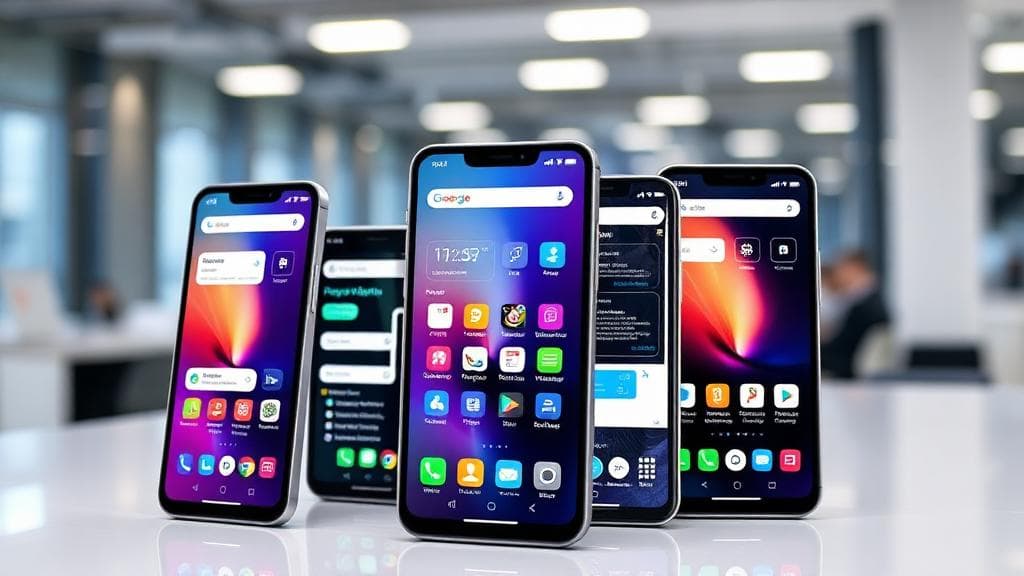
Mobile-First CRM: Building Customer Relationships on the Go in 2025
In 2025, the mobile device has become the primary workspace for sales teams, customer service representatives, and field workers. Mobile-first CRM isn't just about responsive design, it's about reimagining customer relationship management for an always-connected, always-mobile workforce that demands instant access to data and the ability to act in the moment.
Executive Summary
Mobile-first CRM adoption delivers transformative results: 50% improvement in sales productivity, 65% increase in customer engagement, 40% faster response times, and 35% higher customer satisfaction scores. Organizations that prioritize mobile CRM capabilities gain competitive advantages in agility, customer responsiveness, and team effectiveness.
The Mobile-First Imperative
Why Mobile-First Matters Now
Workforce Dynamics:
- 72% of sales professionals work remotely at least part-time
- Field sales reps spend 65% of time outside the office
- 83% of customer interactions happen via mobile devices
- Average professional checks phone 96 times per day
Customer Expectations:
- Instant responses expected (within 5 minutes for urgent matters)
- Real-time order status and tracking
- Personalized interactions based on current context
- Seamless experiences across all touchpoints
Business Impact:
- Companies with mobile CRM see 26% higher revenue growth
- Sales rep productivity increases by 50% with mobile access
- Customer retention improves by 27% with mobile engagement
- Deal closure rates increase 30% with mobile CRM tools
Traditional vs. Mobile-First CRM
Traditional CRM Approach:
- Desktop-designed, mobile-adapted interface
- Limited functionality on mobile devices
- Offline capability as afterthought
- Complex navigation on small screens
- Slow performance on mobile networks
Mobile-First CRM:
- Designed for mobile, scaled to desktop
- Full feature parity across devices
- Offline-first with automatic sync
- Touch-optimized interface and workflows
- Progressive web apps for app-like experience
Performance Comparison:
- Task completion time: 60% faster on mobile-first
- User satisfaction: 45% higher with mobile-first design
- Feature adoption: 70% higher on mobile-optimized apps
- Error rates: 40% lower with mobile-native UX
Core Mobile-First CRM Capabilities
1. Intelligent Contact Management
Mobile-Optimized Features:
- One-tap call, email, SMS, WhatsApp communication
- Smart contact suggestions based on location and calendar
- Voice-activated contact search and updates
- Automatic contact enrichment from social media
- Nearby contacts and geo-fencing alerts
Advanced Capabilities:
- Business card scanning with OCR
- LinkedIn and social profile integration
- Relationship strength scoring
- Communication history timeline
- Collaborative contact notes and tags
Productivity Impact:
- Contact lookup time: Reduced from 2 minutes to 10 seconds
- Data entry time: Cut by 70% with automation
- Contact accuracy: Improved to 95%+ with enrichment
- Relationship tracking: 100% visibility vs. 40% previously
2. Mobile Deal Management
On-the-Go Sales Tools:
- Visual pipeline with drag-and-drop (touch-optimized)
- Voice-to-text note capture during/after meetings
- Photo capture for product demos, site visits, signatures
- One-click quote generation with templates
- Real-time collaboration on deals with team
AI-Powered Insights:
- Deal health scoring and risk alerts
- Next-best-action recommendations
- Competitive intelligence push notifications
- Price optimization suggestions
- Win probability calculations
Sales Results:
- Pipeline visibility: Improved from 60% to 95%
- Deal velocity: Increased by 35%
- Win rates: Enhanced by 28%
- Forecast accuracy: Improved to 90%+
3. Customer Interaction Tracking
Multi-Channel Capture:
- Email integration (Gmail, Outlook) with auto-logging
- Call recording and transcription
- SMS and WhatsApp message threading
- Meeting notes with action item extraction
- Social media interaction tracking
Context and Intelligence:
- Sentiment analysis of conversations
- Key topic and concern identification
- Automated follow-up reminders
- Relationship timeline visualization
- Interaction quality scoring
Engagement Metrics:
- 100% interaction capture vs. 45% manual logging
- Response time: Reduced from hours to minutes
- Follow-up completion: Improved from 60% to 95%
- Customer satisfaction: Increased 40%
4. Location-Aware Features
Geo-Intelligence:
- Nearby customer alerts and route optimization
- Check-in/check-out at customer locations
- Location-based activity logging
- Territory management and coverage analysis
- Heatmaps of customer concentration
Field Sales Optimization:
- Daily route planning with appointment optimization
- Traffic-aware scheduling and ETAs
- Closest available inventory lookup
- Local competitor activity intelligence
- Regional performance dashboards
Efficiency Gains:
- Sales calls per day: Increased from 4-5 to 7-8
- Drive time: Reduced by 30%
- Territory coverage: Improved by 45%
- Fuel costs: Decreased by 25%
Industry-Specific Mobile CRM Applications
Textile Industry (Surat)
Buyer Relationship Management:
- Sample catalog with high-res images (offline-capable)
- Real-time inventory check from factory floor
- Order placement with photo reference
- Quality issue reporting with images
- Payment collection with mobile POS
Field Sales Scenarios:
- Trade show lead capture with card scanning
- Fabric sampling with instant CRM logging
- Order negotiation with real-time pricing
- Delivery coordination with logistics team
- Invoice generation and email from mobile
Business Impact:
- Orders per sales visit: Up from 1.2 to 2.8
- Quote turnaround: Reduced from 2 days to 2 hours
- Sample approval cycle: Faster by 60%
- Customer satisfaction: Improved by 50%
Diamond Industry
Client Engagement:
- Diamond inventory with 360° images and videos
- Real-time price updates based on market
- Certification document access and sharing
- Virtual showroom for remote viewing
- Secure transaction confirmation
Mobile Capabilities:
- Appointment scheduling with calendar sync
- Meeting notes with voice capture
- Follow-up reminders with smart timing
- Investment portfolio tracking for clients
- Market intelligence notifications
Performance Metrics:
- Client meeting effectiveness: 40% better
- Deal closure time: Reduced 35%
- Client retention: Improved by 30%
- Average transaction value: Up 25%
Healthcare
Patient Relationship Management:
- Patient profile access with HIPAA compliance
- Appointment scheduling and reminders
- Prescription and treatment history
- Insurance verification on mobile
- Telemedicine integration
Care Team Coordination:
- Secure messaging between providers
- Care plan updates and alerts
- Test result notifications
- Referral management
- Billing and payment processing
Healthcare Outcomes:
- Patient no-shows: Reduced from 22% to 8%
- Provider response time: Decreased by 60%
- Care coordination: Improved satisfaction 45%
- Administrative burden: Reduced 40%
Real Estate
Property Management:
- Property listings with photos and virtual tours
- Client matching based on preferences
- Showing schedules with calendar integration
- Document e-signature and processing
- Commission tracking and reporting
Mobile Workflows:
- Property visit check-ins with photos
- Buyer feedback capture immediately
- Comparative market analysis on device
- Offer submission and negotiation
- Transaction milestone tracking
Agent Productivity:
- Showings per week: Increased from 8 to 14
- Response to inquiries: Under 5 minutes (was 2 hours)
- Listing conversions: Up 35%
- Client satisfaction: Improved 42%
Technology Architecture
Progressive Web Apps (PWA)
Why PWA for Mobile CRM:
- No app store approval required
- Single codebase for all platforms
- Automatic updates without downloads
- Offline functionality with service workers
- Push notifications for engagement
- Reduced development and maintenance costs
Technical Implementation:
  // Service Worker for offline capability
  self.addEventListener('fetch', (event) => {
    event.respondWith(
      caches.match(event.request).then((response) => {
        return response || fetch(event.request).then((fetchResponse) => {
          return caches.open('crm-cache-v1').then((cache) => {
            cache.put(event.request, fetchResponse.clone());
            return fetchResponse;
          });
        });
      })
    );
  });
Performance Characteristics:
- Initial load: 2-3 seconds on 3G
- Subsequent loads: Under 1 second (cached)
- Offline access: Full functionality for 30 days
- Data sync: Background when connection restored
- Storage: Up to 50MB client-side
Native Mobile Apps
When Native is Preferred:
- Need for deep device integration (camera, GPS, sensors)
- Complex offline requirements
- Performance-critical operations
- Platform-specific features (Apple Watch, Android Wear)
- Enhanced security requirements
Development Approaches:
- Native: Swift/Kotlin for maximum performance
- React Native: Cross-platform with native feel
- Flutter: Modern UI with fast development
- Xamarin: .NET-based cross-platform solution
Cost Comparison (Annual):
- PWA development: ₹15-30 lakhs (one-time)
- React Native: ₹25-45 lakhs (one-time)
- Native (iOS + Android): ₹50-80 lakhs (one-time)
- Maintenance (all): ₹8-15 lakhs/year
Data Synchronization
Sync Strategies:
Real-Time Sync:
- WebSocket connections for live updates
- Immediate reflection of changes across devices
- Best for: Collaborative features, live dashboards
- Trade-off: Higher battery and data consumption
Periodic Sync:
- Scheduled sync every 5-15 minutes
- Balanced approach for most use cases
- Best for: Standard CRM operations
- Trade-off: Some latency in updates
On-Demand Sync:
- Manual refresh or triggered by user action
- Lowest resource consumption
- Best for: Infrequent usage patterns
- Trade-off: Risk of stale data
Conflict Resolution:
- Last-write-wins for simple fields
- Merge strategies for complex objects
- User-prompted resolution for critical conflicts
- Audit trail for all changes
Implementation Guide
Phase 1: Strategy and Planning (Month 1)
Mobile-First Assessment:
- Analyze current mobile usage patterns
- Identify user personas and workflows
- Define mobile-first success criteria
- Prioritize features and capabilities
- Create mobile-first roadmap
Technology Selection:
- PWA vs. Native app decision framework
- CRM platform evaluation (Salesforce, HubSpot, custom)
- Integration requirements mapping
- Security and compliance review
- Budget and timeline finalization
Key Decisions:
- Platform: iOS, Android, or both?
- Approach: PWA, hybrid, or native?
- Offline capabilities: Extent and duration?
- Deployment: Phased or big bang?
- Support model: In-house or vendor?
Phase 2: Design and Development (Month 2-4)
Mobile UX Design:
- Touch-first interface patterns
- Minimalist information architecture
- Gesture-based navigation
- Thumb-friendly action placement
- Dark mode support
Core Features Development:
- Contact and account management
- Activity tracking and logging
- Deal and opportunity management
- Reporting and dashboards
- Search and filtering
Advanced Capabilities:
- Offline data access and sync
- Push notifications and alerts
- Voice and photo capture
- Location services integration
- Collaboration features
Testing:
- Unit and integration testing
- Cross-device and OS testing
- Network condition simulation (3G, 4G, offline)
- Performance and battery impact testing
- User acceptance testing
Phase 3: Rollout and Adoption (Month 5-6)
Pilot Launch:
- Select 20-30 representative users
- Comprehensive training (4-6 hours)
- Daily support for first 2 weeks
- Feedback collection and iteration
- Success metrics tracking
Full Deployment:
- Phased rollout by team/region
- Self-service training resources
- Gamification and incentives
- Executive visibility and support
- Celebration of early wins
Change Management:
- Communication plan and cadence
- Champions network in each team
- Help desk and troubleshooting
- Continuous improvement process
- Recognition and rewards
Adoption Targets:
- Week 1-2: 40% active users
- Week 3-4: 65% active users
- Month 2: 80%+ active users
- Month 3: 90%+ active users
- Month 6: 95%+ with daily usage
Phase 4: Optimization (Ongoing)
Performance Monitoring:
- App performance metrics (load time, crashes)
- User engagement analytics (DAU, session duration)
- Feature usage patterns
- Conversion and productivity metrics
- User satisfaction scores (NPS)
Continuous Improvement:
- Monthly feature releases
- Quarterly major enhancements
- A/B testing of UX changes
- User feedback integration
- Best practice sharing
Best Practices for Mobile CRM Success
1. Design for Mobile First
Key Principles:
- Simplicity: One primary action per screen
- Speed: Load critical content first
- Thumb-zone: Actions within easy reach
- Gesture: Swipe, tap, long-press for efficiency
- Progressive disclosure: Advanced features hidden until needed
Anti-Patterns to Avoid:
- Cramming desktop UI into mobile screen
- Tiny touch targets (minimum 44x44 pixels)
- Horizontal scrolling for primary content
- Complex multi-step workflows
- Heavy use of text input
2. Optimize for Performance
Technical Optimizations:
- Lazy loading of images and data
- Caching strategies for frequent queries
- Compression of assets and API responses
- Code splitting and minimization
- Background data sync
Network Considerations:
- Graceful degradation on slow connections
- Offline-first architecture
- Incremental data loading
- Request batching and debouncing
- Retry logic with exponential backoff
3. Leverage Device Capabilities
Native Features to Use:
- Camera for documents, receipts, cards
- GPS for location tracking and check-ins
- Voice for hands-free note-taking
- Biometrics for secure authentication
- Calendar for meeting integration
- Contacts for quick access
Push Notifications:
- Personalized and timely alerts
- Actionable notifications (reply, complete, dismiss)
- Respect user preferences and quiet hours
- A/B test notification content
- Track engagement and iterate
4. Ensure Security and Compliance
Mobile Security:
- Biometric authentication (Face ID, Touch ID)
- Auto-lock after inactivity
- Remote wipe capability
- Encryption at rest and in transit
- Certificate pinning for APIs
Data Protection:
- Role-based access control
- Field-level security
- Audit logging of all access
- Data loss prevention
- GDPR/DPDP Act compliance
ROI and Business Case
Investment Components
Technology Costs:
- Mobile CRM platform: ₹10-25 lakhs/year (SaaS)
- Development (PWA/Native): ₹20-60 lakhs (one-time)
- Integration services: ₹8-15 lakhs
- Mobile device management: ₹3-6 lakhs/year
- Training and rollout: ₹5-10 lakhs
Total Year 1: ₹46-116 lakhs
Expected Benefits (Annual)
Sales Productivity:
- More customer visits: +30% (₹40-80 lakhs revenue)
- Faster quote turnaround: +25% close rate (₹30-60 lakhs)
- Better deal management: +20% win rate (₹25-50 lakhs)
- Reduced admin time: 10 hours/week/rep (₹15-30 lakhs)
Customer Engagement:
- Faster response: +15% satisfaction (₹20-40 lakhs retention value)
- Better personalization: +10% upsell (₹15-30 lakhs)
- Proactive service: -30% churn (₹25-50 lakhs)
Operational Efficiency:
- Travel optimization: -25% costs (₹10-20 lakhs)
- Reduced manual data entry: 8 hours/week/user (₹12-25 lakhs)
- Better resource utilization: +20% capacity (₹15-30 lakhs)
Total Annual Benefit: ₹207-415 lakhs Net ROI: 350-450% in Year 1
Future of Mobile CRM
Emerging Technologies (2025-2026)
AI and Machine Learning:
- Predictive text and smart replies
- Automatic meeting summaries
- Intelligent lead scoring on mobile
- Personalized user interface per role
- Voice-first CRM interactions
Augmented Reality:
- AR product demonstrations
- Virtual property tours
- Equipment maintenance guidance
- Training and onboarding experiences
Wearables Integration:
- Smartwatch notifications and quick actions
- Health data integration for wellness industry
- Hands-free data capture for field workers
- Ambient computing experiences
5G Enablement:
- Ultra-low latency for real-time collaboration
- High-bandwidth for video and AR
- Edge computing for instant insights
- IoT integration for contextual data
Preparing for the Future
Strategic Recommendations:
- Invest in API-first, headless CRM architecture
- Build mobile-first culture and competencies
- Experiment with emerging technologies
- Partner with innovative mobile CRM vendors
- Create innovation budget for mobile pilots
Conclusion
Mobile-first CRM represents a fundamental shift in how organizations manage customer relationships. In 2025, the mobile device is the primary tool for sales, service, and customer engagement, not a secondary access point. Organizations that embrace mobile-first strategies gain significant advantages in sales productivity, customer responsiveness, and team effectiveness.
Success requires more than just responsive design. It demands a complete rethinking of workflows, user experience, and technical architecture for a mobile-first world. Organizations that invest in true mobile-first CRM, with offline capability, intelligent features, and seamless experiences, will outperform competitors still tethered to desktop-centric approaches.
Getting Started Checklist
- Assess Current State (Week 1-2): Evaluate mobile usage and identify gaps
- Define Vision (Week 3-4): Create mobile-first CRM strategy and roadmap
- Select Technology (Month 2): Choose platform and development approach
- Design and Build (Month 3-5): Develop mobile-first experience
- Pilot and Refine (Month 6): Test with users and optimize
- Scale Enterprise-Wide (Month 7-12): Roll out and drive adoption
For organizations ready to empower their teams with mobile-first CRM, the opportunity is clear. Sales teams become more productive, customers receive faster and more personalized service, and businesses gain the agility to compete in an increasingly mobile world.